Your SpurrOpen user profile allows you to manage your personal details and login credentials in one place. Keeping this information up to date helps ensure account security, accurate communication, and a smooth experience across the platform.
Steps to access
- Log in to your SpurrOpen account.
- In the top-right corner of the screen, select your name to open the account menu.
- Click My Dashboard.
- From the dashboard, select My Profile.
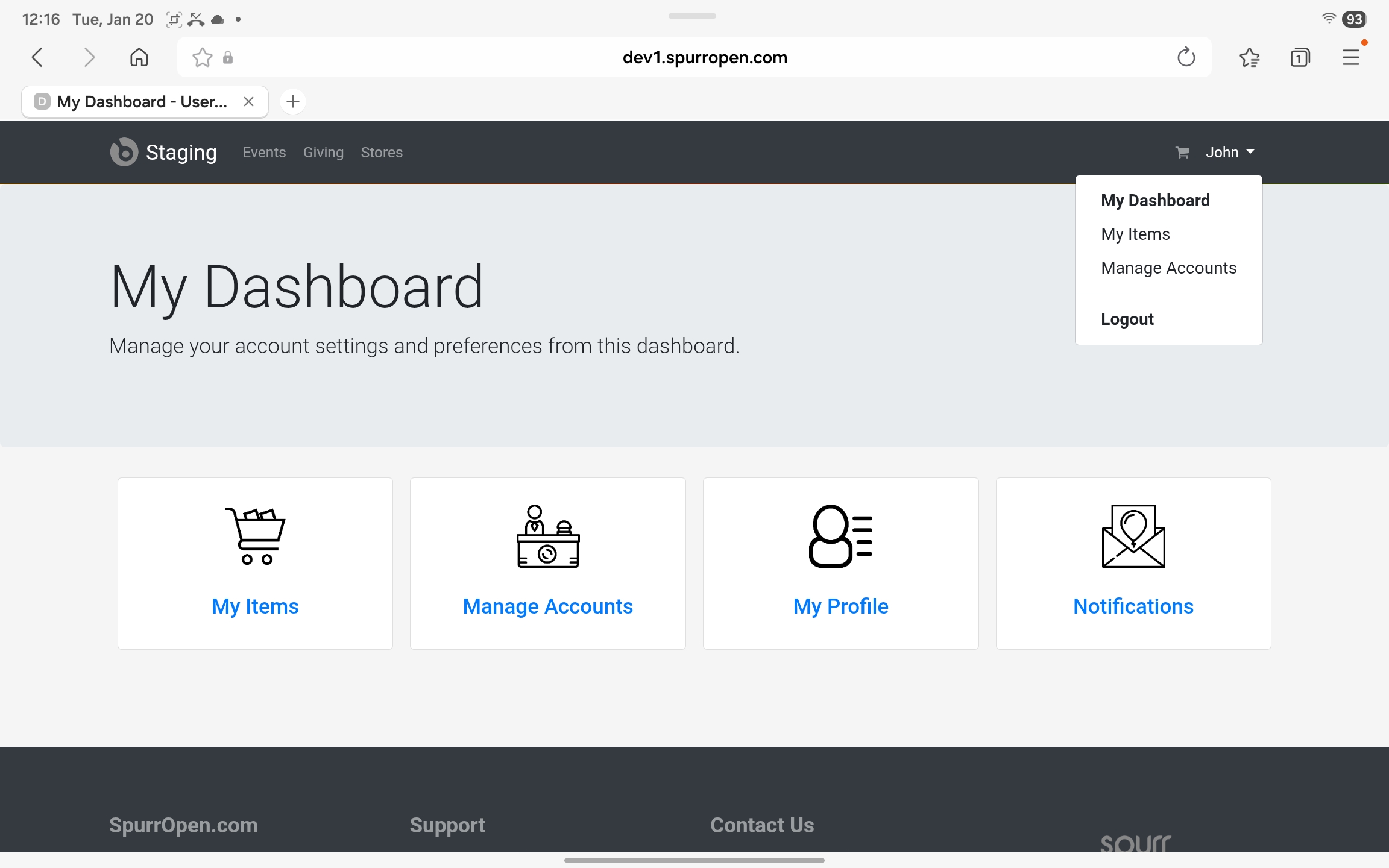
You will be taken to your User Membership Profile page.
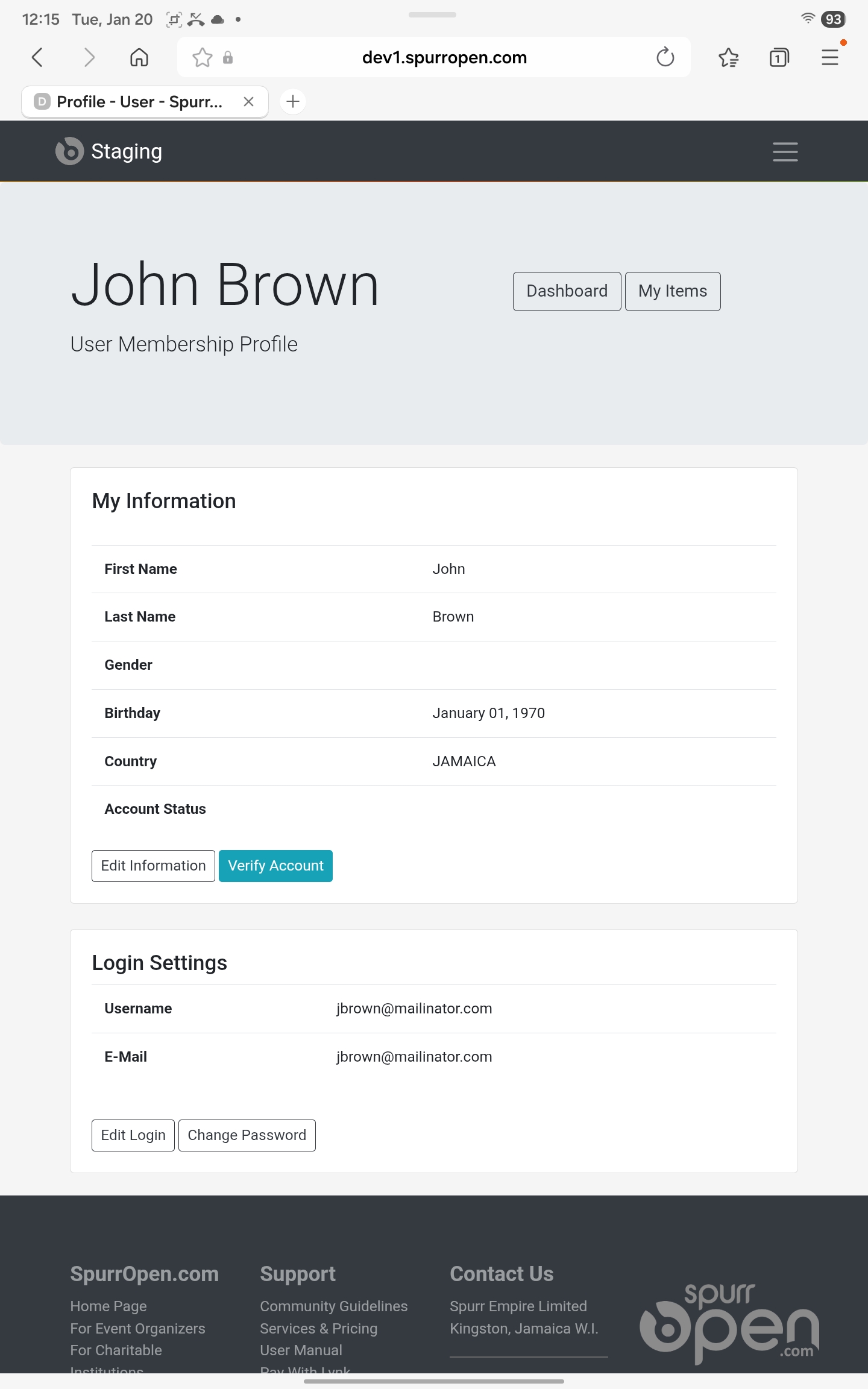
Updating Personal Information
In the My Information section, you can review and update your personal details, including:
- First Name
- Last Name
- Gender
- Birthday
- Country
To make changes, click Edit Information and update the required fields. Save your changes to apply the updates to your profile. If your account requires verification, you may also see a Verify Account button in this section.
Managing Login Settings
The Login Settings section displays your account login details, including:
- Username
- Email Address
To update your login information, select Edit Login to update your username or email address. Select Change Password to set a new account password. For security reasons, you may be prompted to confirm your current password when making changes.
Was this article helpful?
That’s Great!
Thank you for your feedback
Sorry! We couldn't be helpful
Thank you for your feedback
Feedback sent
We appreciate your effort and will try to fix the article