The ticket section is where create or remove ticket information on SpurrOpen. You may create multiple tickets for your event.
Steps to access
- After accessing the event portal
- Select Ticket Setup from the menu
- Click on the word "Add"
- The Update ticket window will open for you to input the ticket information
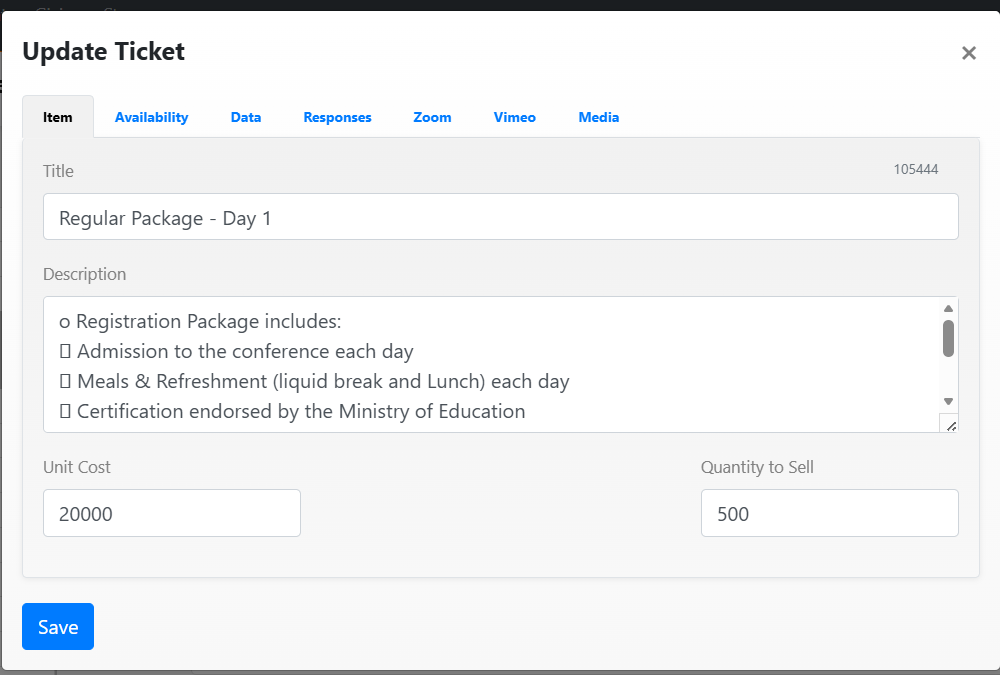
Guidelines:
- The "Item" tab is automatically selected
- Input a "Title" for the ticket
- You may enter a "Description" ticket for ticket if one is available
- The "Unit Cost" is the cost per ticket
- The "Quantity to Sell" is the limit on the number of each ticket to be sold
Click the save button.
Was this article helpful?
That’s Great!
Thank you for your feedback
Sorry! We couldn't be helpful
Thank you for your feedback
Feedback sent
We appreciate your effort and will try to fix the article