The event Date and Location section of the is where you specify on SpurrOpen when the event will occur and where.
Steps to access
- After accessing the event portal
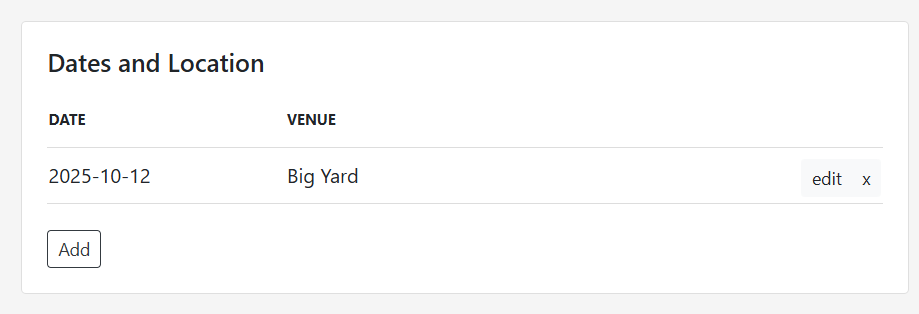
- From Page Setup Look for the section labeled "Dates and Location"
Guidelines:
- Click the "Add" button.
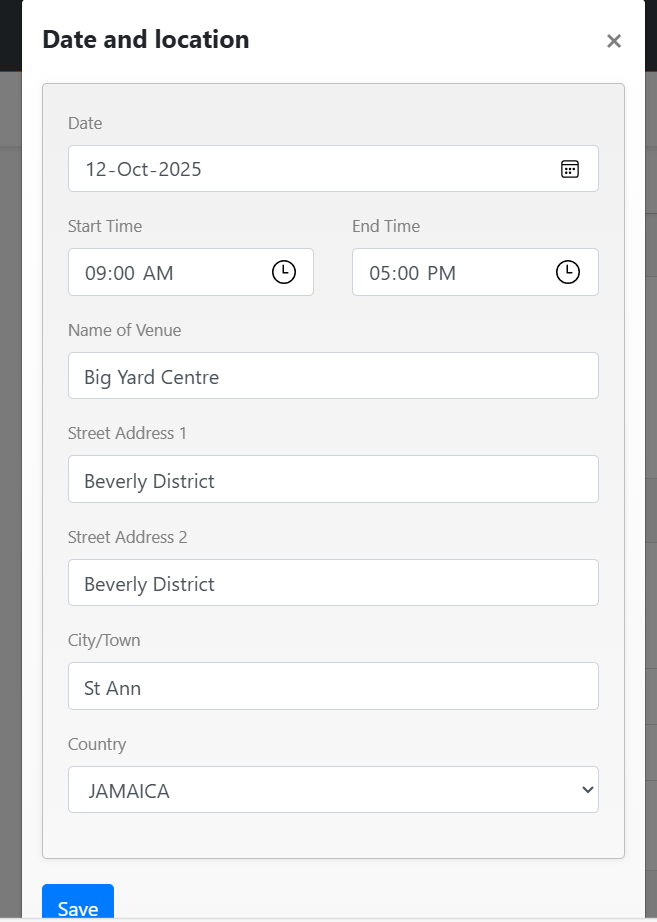
- Enter the date and location for the event.
- Click "Edit" to make amendments to information added.
- Click the "X" beside edit to remove information not required.
- Click save.
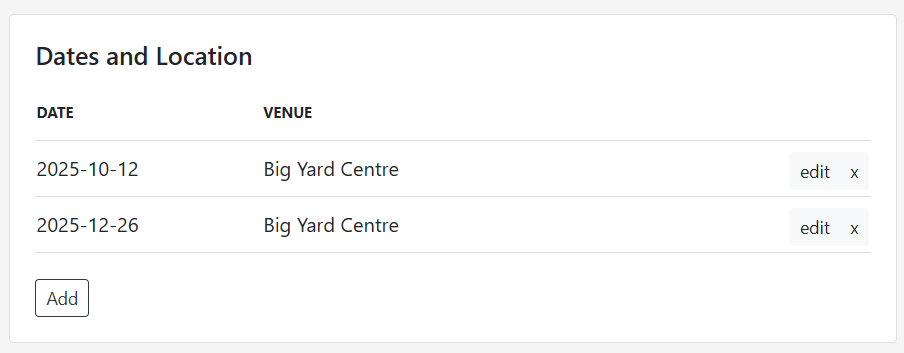
You are also able to add multiple dates and locations by clicking the "Add" button.
Guidelines:
- Click the "Add" button.
- Enter the start and end times for the event.
- Enter the venue for the event.
- Click save
Was this article helpful?
That’s Great!
Thank you for your feedback
Sorry! We couldn't be helpful
Thank you for your feedback
Feedback sent
We appreciate your effort and will try to fix the article