To create new event you need to already have a SpurrOpen Organizers/Business Account. The rvent or event portal or event pages provide tools that you can use to market your event and sell event tickets.
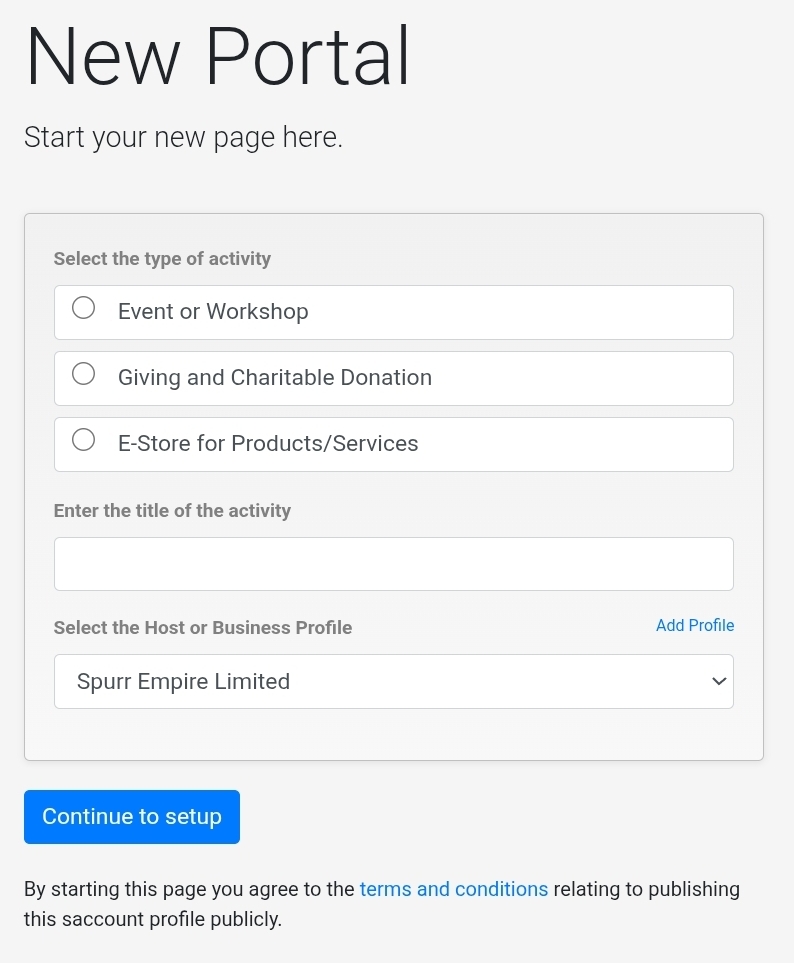
Steps to access
- Login to SpurrOpen.com and navigate to Manage Accounts.
- Select the respective business account from the listing.
- From the dashboard, select the option to create a new portal.
- On the form provided select the option for Event or Workshop
- Enter the name or title of the event
- Double check that the correct Host or Business account is selected, then click continue to setup
You will then be redirected to the event setup page.
Was this article helpful?
That’s Great!
Thank you for your feedback
Sorry! We couldn't be helpful
Thank you for your feedback
Feedback sent
We appreciate your effort and will try to fix the article