The Guest List Import feature enables you to upload multiple guests or customers simultaneously using a CSV file.
Steps to access
- After accessing the event portal
- Select Setup from the menu, then select File Import
Formatting guidelines
Before uploading, make sure your CSV file meets the required formatting guidelines:
Your CSV file must include the following fields:
firstname– Guest’s first name (required)lastname– Guest’s last name (required)email– Guest’s email address (required)quantity– Number of tickets or items (required)country– Two-letter country code (required only if phone number is included)phone– Guest’s phone number (optional; requires country when provided)
Column headings must match exactly (case-sensitive) the field names shown in your CSV header.
Additional Information Columns
Depending on your specific product configuration, you may have additional fields you’ve enabled (e.g., custom questions or data collection fields). If so:
- Include matching header names in your CSV.
- Ensure these column names exactly match their corresponding names in your product setup.
Upload Requirements & Limitations
- File type: Only
.csvfiles are supported;.xlsx,.xls, or other formats are not accepted. - Maximum file size: 10 MB.
- Guest limit: Up to 500 guests per upload.
- The event must be LIVE before guest lists can be imported.
Uploading Your Guest List
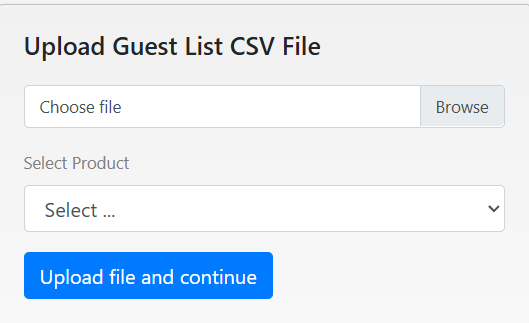
- Click Choose file and select your prepared CSV file.
- Choose the appropriate product or ticket type that applies to the guests you are importing.
- Select Upload file and Continue to begin the import process.
Once completed, the guest records are added to your event’s guest list.
CSV Template
To assist with formatting, a downloadable CSV template is attached to this article. Use this as a starting point to ensure your columns and headings are correct.
If you encounter errors or need help formatting your file, refer to our troubleshooting guides or contact support for assistance.
Was this article helpful?
That’s Great!
Thank you for your feedback
Sorry! We couldn't be helpful
Thank you for your feedback
Feedback sent
We appreciate your effort and will try to fix the article